 Latest release v1.2.0
QuickWord
Scripture memory with flashcards and a widget
- On the App Store
- iPhone
- iPad
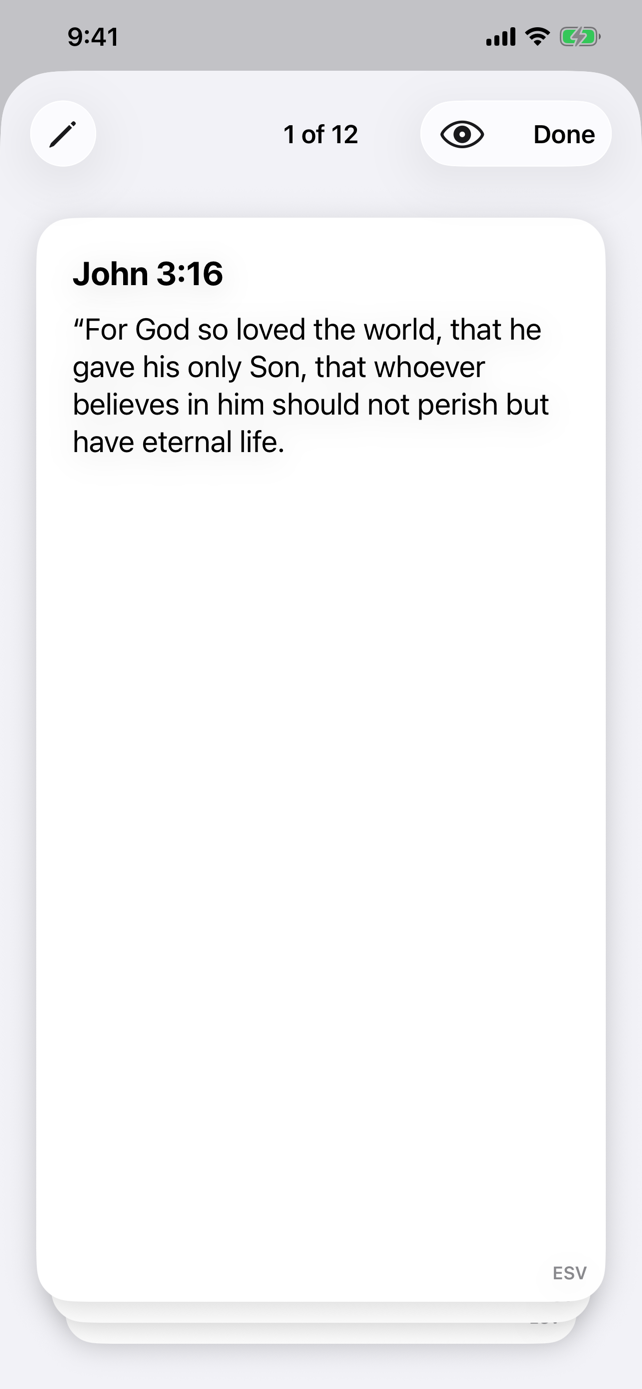
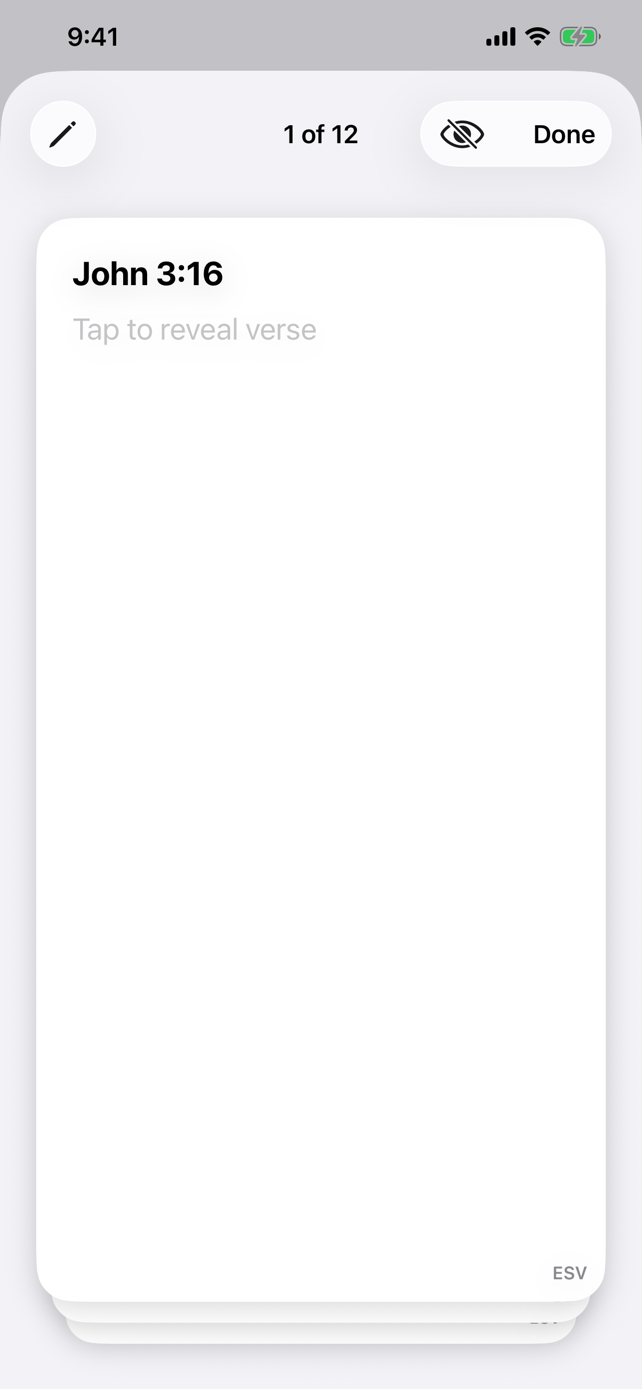
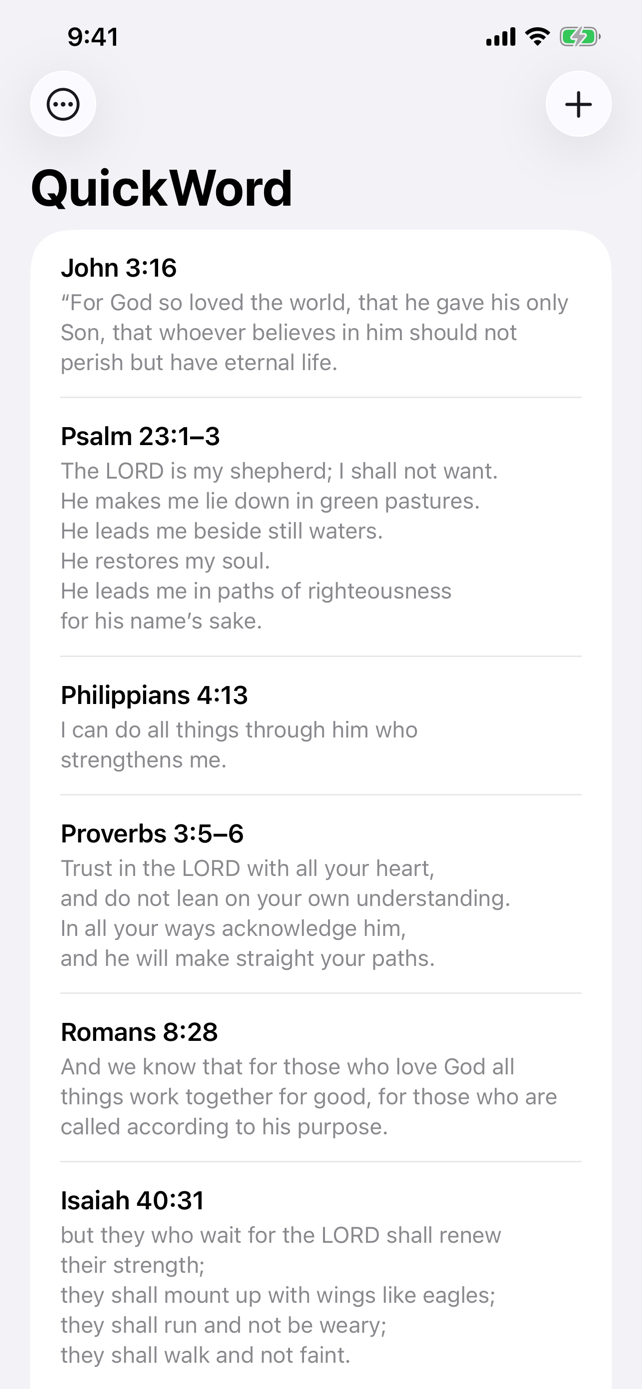
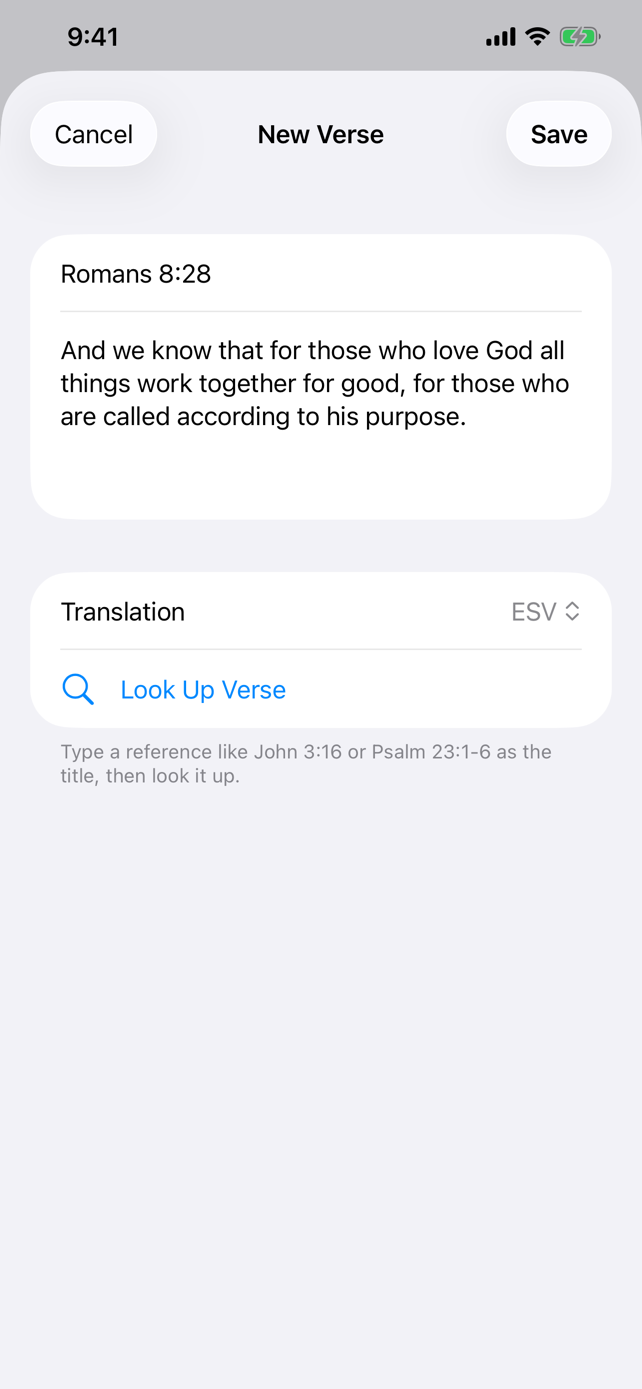
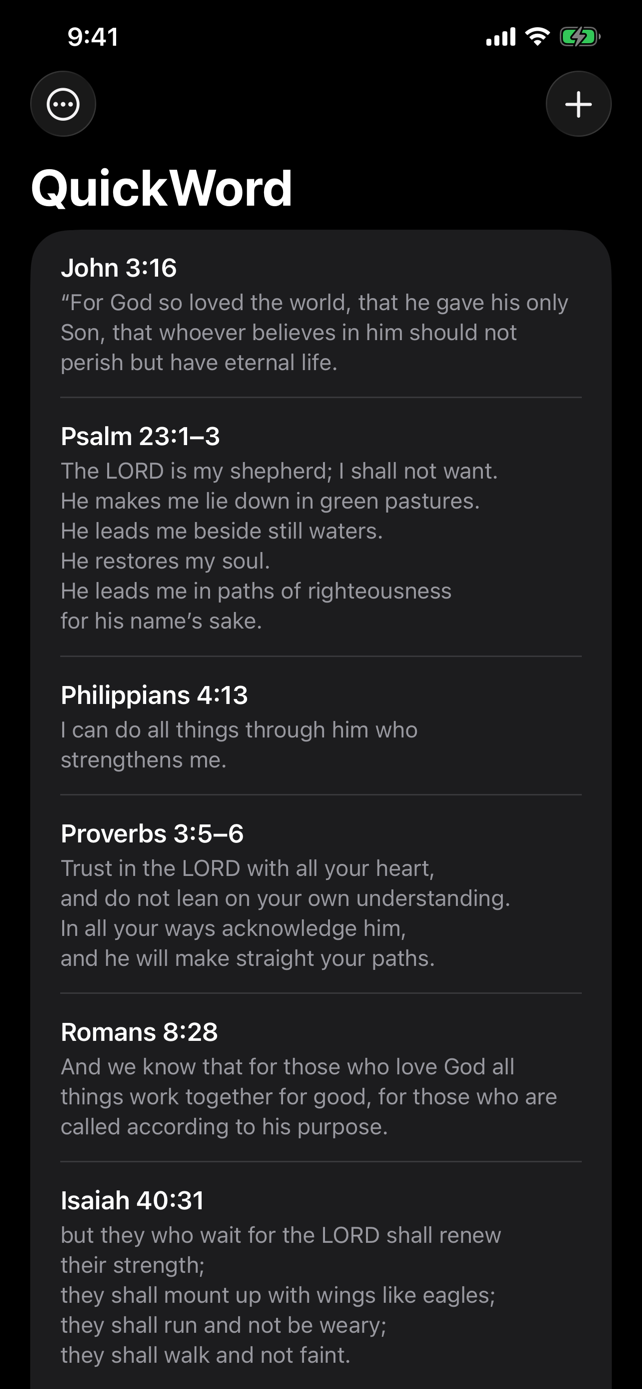
QuickWord is a simple place to keep the Bible verses you're memorizing. Type a reference like John 3:16 or Psalm 23:1-6 and it fetches the text in ESV, NIV, NASB, CSB, NLT, or KJV. You can also type the verse in yourself.
Tap a verse to open it as a deck of cards. Flashcard mode hides the verse, the reference, or some of the words until you tap. The widget puts a verse on your home screen or lock screen and moves to the next one every 30 minutes.
I started it on August 22, 2026, and version 1.0.0 went live on the App Store on September 8. Version 1.2.0 added quotes. Everything you save stays on your device. There's no account and no tracking.
- Current version
- 1.2.0
- Bible translations
- 6
- Price
- Free
Features
Verse lookup
Type a reference, pick a translation, and tap Look Up Verse. QuickWord remembers the translation you used last, and each card shows which one it came from.
Card deck
Tap a verse to open the deck, then swipe the top card away to get to the next one. The counter at the top shows where you are, like 1 of 12.
Flashcard modes
Reference First hides the verse and Verse First hides the reference. Hide Words blanks out some of the words with three or more letters, and the blanks keep their width so the text stays put when you reveal it. Random picks one of the three for each card.
Widgets
Rectangular or inline on the lock screen, small or medium on the home screen. Tap the lock screen widget to jump to the next verse. On the home screen, tap to open that verse in the app, or tap the corner arrow to advance.
Feature a verse
Swipe right on a verse and tap Feature. The widget keeps showing it until you unfeature it or tap past it.
Quotes
Save a quote with its author and an optional source. Once you have one, a Verses and Quotes switch shows up at the top of the list, and each widget can show verses, quotes, or both.
Sort and shuffle
Sort by date added or by title. Shuffle mixes the list, and Reshuffle gives you a new order.
Stays on your device
No account, no sign-in, no analytics. The app only goes online when you look up a verse.
Release history
3 releases since August 2026.
- Major release
- Minor release
- Milestone
September 2026
Quotes and Hide Words
v1.2.0Latest- Save quotes with an author and an optional source, next to your verses.
- A Verses and Quotes switch appears in the list once you add a quote.
- Each widget can show verses, quotes, or both.
- New Hide Words flashcard mode blanks out some of the longer words in a verse.
NASB and a new NLT source
v1.1.0- Added the NASB 1995.
- NLT text now comes from Tyndale's own NLT API.
- Removed the pilcrow marks that showed up in KJV text.
First App Store release
v1.0.0- Look up a verse by reference in ESV, NIV, CSB, NLT, or KJV.
- Swipeable card deck with Reference First, Verse First, and Random flashcard modes.
- Sort by date added or title, or shuffle.
- About page with each publisher's copyright notice.
TestFlight builds 3 to 7
TestFlight builds- Uploaded builds with the card stack animation and the Random flashcard mode.
- Wrote the App Store listing and took iPhone and iPad screenshots.
- Build 6 added iPad support.
August 2026
Home screen widget and TestFlight prep
TestFlight prep- Tapping the home screen widget opens that verse in the app, and a corner arrow advances it.
- Added a gradient background to the home screen widget.
- Added the app icon, version numbers, and the export compliance flag.
Design spec to working build
Started- Wrote the design spec and implementation plan.
- Built the verse list, the editor, and the Feature action.
- Built the widget with 30 minute rotation and tap to advance.
- Got a clean build running in the simulator the same morning.
Roadmap
- Done
Verse list and rotating widget
The first plan, written August 22: a verse list, an editor, Feature, and a widget that rotates every 30 minutes.
- Done
Quotes and Hide Words
Planned September 11 and released the same day as version 1.2.0.
FAQ
Does QuickWord cost anything?
No. It's free on the App Store with no in-app purchases.
Which translations can I use?
ESV, NIV, NASB 1995, CSB, NLT, and KJV. ESV text comes from the ESV API, NLT from Tyndale's NLT API, and the rest from API.Bible.
Does it need an internet connection?
Only for Look Up Verse. The list, the deck, flashcards, and the widget all work offline.
Where are my verses stored?
On your device, in storage the widget can also read. They're included in your normal device backup. There's no account or sync, so deleting the app deletes your verses.
Does it work on iPad?
Yes. It runs on iPhone and iPad with iOS 26 or later.
How does the widget pick what to show?
It steps through your list in the order you added things, one every 30 minutes. A featured verse stays on the widget until you unfeature it or tap past it.
QuickWord
Scripture memory with flashcards and a widget